Welcome to APLV Tools

Professional streaming integrations designed for maximum engagement.

Alerts · Channel point redeems · Song requests · Subathon timer · Chatbox · Goals · Cloudbot · Donations - all in one place, all customizable.
On-Stream Alerts

Alerts, Exactly How You Want Them

Every alert is a freely composable mix of video or image, sound, on-screen text and an AI voice - use only a sound, only a clip, only text, or everything at once.

Variations per event

Different alerts for follows, subs, resubs, gift subs, bits, raids and donations - with conditions like exact amounts, ranges, sub tiers or "skip gifted subs".

TTS voices

Have the viewer's message read out loud - free Edge AI voices (Latvian & English) or premium ElevenLabs voices with your own key.

Designer with live preview

A guided 4-step designer (trigger → content → look → timing) with a live stage preview - see where your text and media will sit before saving.

Test everything

Fire test alerts from the Alert Laboratory or replay real past events - plus a media manager for all your uploaded clips and sounds.

GamerLV donated 10€!
"gg wp, best stream!"
VIDEOSOUNDTEXTTTS
Channel Points

Redeems That Actually Do Things

Pick any of your Twitch channel point rewards and choose what happens when a viewer redeems it - in plain language, with a test button, no technical setup.

  • Play an alert - any custom alert you designed: sound only, a meme clip, TTS reading the viewer's message, or all combined.
  • Song request - the viewer's Spotify link or song name goes straight into your Spotify queue.
  • Skip current song - let chat veto your music.
  • SS.lv price history - viewer pastes an ad link, the bot posts its full price history in chat.
  • Custom integrations - bespoke actions built for your channel (leaderboards, minigames, widgets...).

Creating an alert for a reward? One click takes you to the designer and links it back automatically - then hit Test to see it live.

Song Request 500
WHEN REDEEMED
Song request - added to your Spotify queue
Change Test
Play an alert
Song request
Skip song
Price history
Streamlabs Integration
Direct Twitch + APLV Donations

Subathon Timer

A countdown that your community keeps alive - every sub, resub, gift, cheer and donation adds time automatically. Choose your donation source: Streamlabs, or go fully standalone with direct Twitch events + your APLV donation page - no Streamlabs account needed. Same settings, same designs, either way.

  • Fine-grained time rules: separate seconds per sub tier, resub, gift sub, per bits amount and per donation euro - with minimum thresholds, an optional maximum cap and event multipliers.
  • Smart pause: pause the timer but keep showing the real remaining time - if someone donates during the pause, everyone sees the time grow. Custom "PAUSED" text, size and color.
  • Stream Deck control: start, pause, add or remove time straight from your deck.
  • Your design: full custom CSS/HTML, plus saveable theme variants - a different timer look per scene, each with its own OBS URL.
  • Clean mode: timer-only or texts-only widget URLs when you want minimal overlays.
Spotify Integration

Music, Song Requests & the Queue Widget

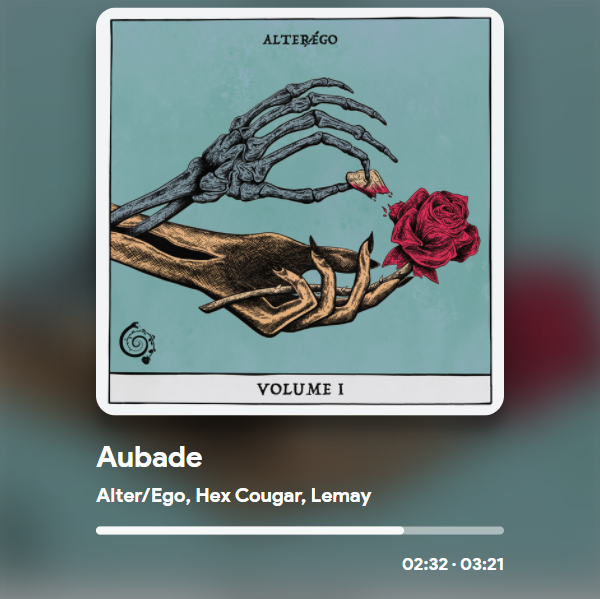
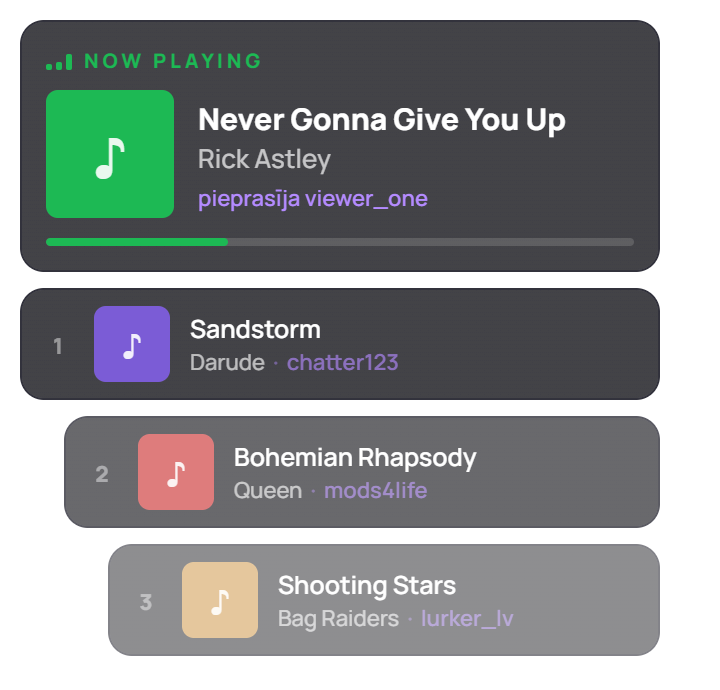
Viewers request songs with channel points, requests land straight in your Spotify queue - and the on-stream queue widget shows who requested what and what's playing right now.

Live request queue

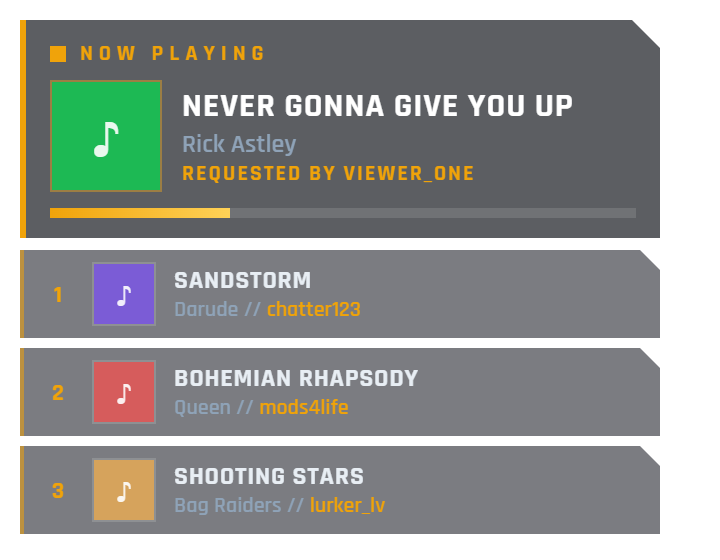
New requests slide in instantly with album art and the requester's name; the "Now playing" block appears when a requested song starts, with a live progress bar.

Deep customization

Layouts (left / right / centered / staircase), mirrored mode, font library, colors with gradients, blurred album-art backgrounds, a separate art box, fading queue, your own "Requested by" text in any language.

Theme variants

Save full custom HTML/CSS/JS themes - a different queue design per game or scene, each with its own OBS URL. Live preview while you edit.

Now playing & chat

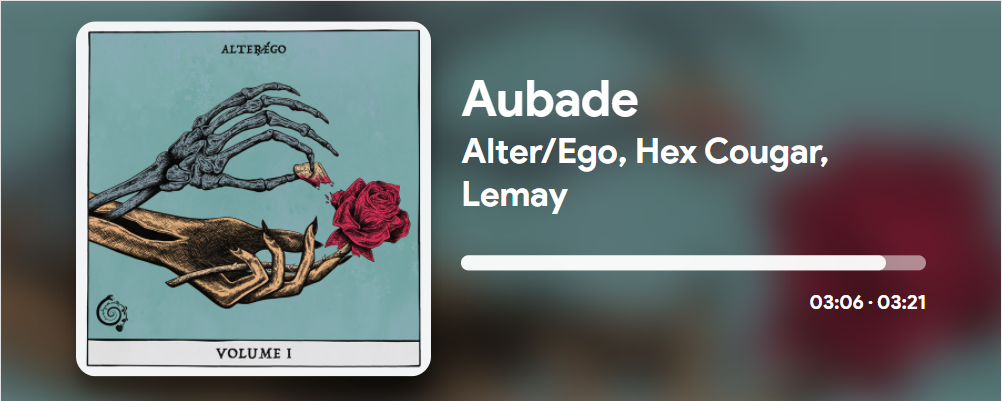
Customizable now-playing widget, !nowplaying chat command, "skip song" redeem - and optional display of whatever's playing when the queue is empty.

Song request queue widget - default theme Song request queue widget - CS2 theme variant
Now playing widget Now playing widget
Chat Overlay

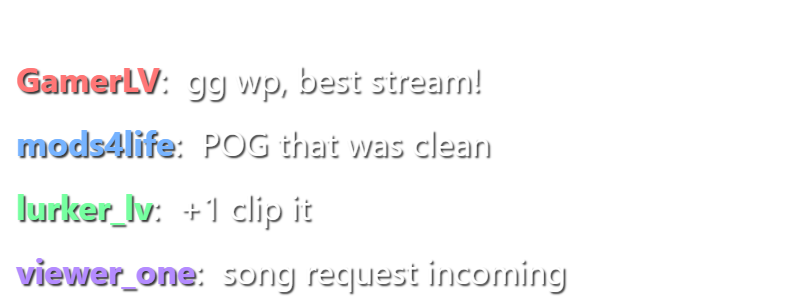
Chatbox With a Theme per Scene

Show your Twitch chat on stream - badges, emotes, animations, transparency - and make it look different in every scene.

  • Theme variants: save any number of chat designs with custom HTML, CSS and JS - a cyberpunk chat for one game, a cozy one for another. Every variant gets its own OBS URL, so each scene simply uses its own.
  • Your own images: upload backgrounds, frames and badges to use inside your themes.
  • Full styling control: fonts, colors, message fade times, transparent backgrounds, bot message filtering.

The same theme-variants system powers the subathon timer, event list, feed, goal and song request widgets too - one concept, every widget.

default
Chatbox widget
cyber-theme
> GamerLV gg wp!
> mods4life POG
> lurker_lv +1 clip it
Twitch Tools

Predictions, Clips & More

Powerful tools to manage your Twitch channel's interactive features without leaving your stream flow.

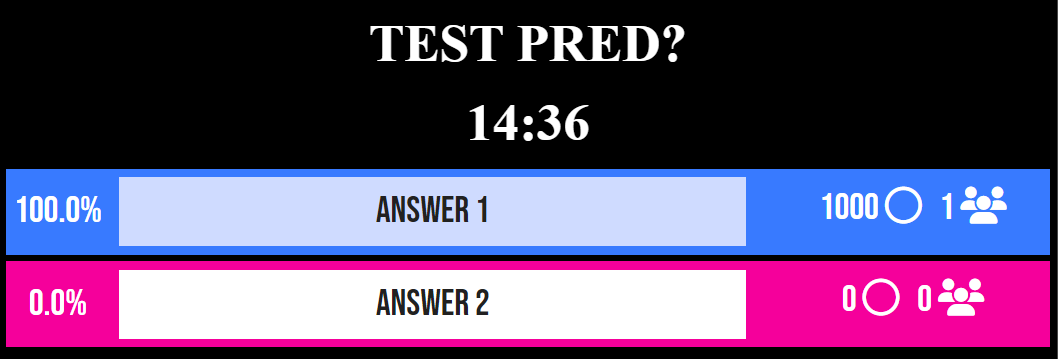
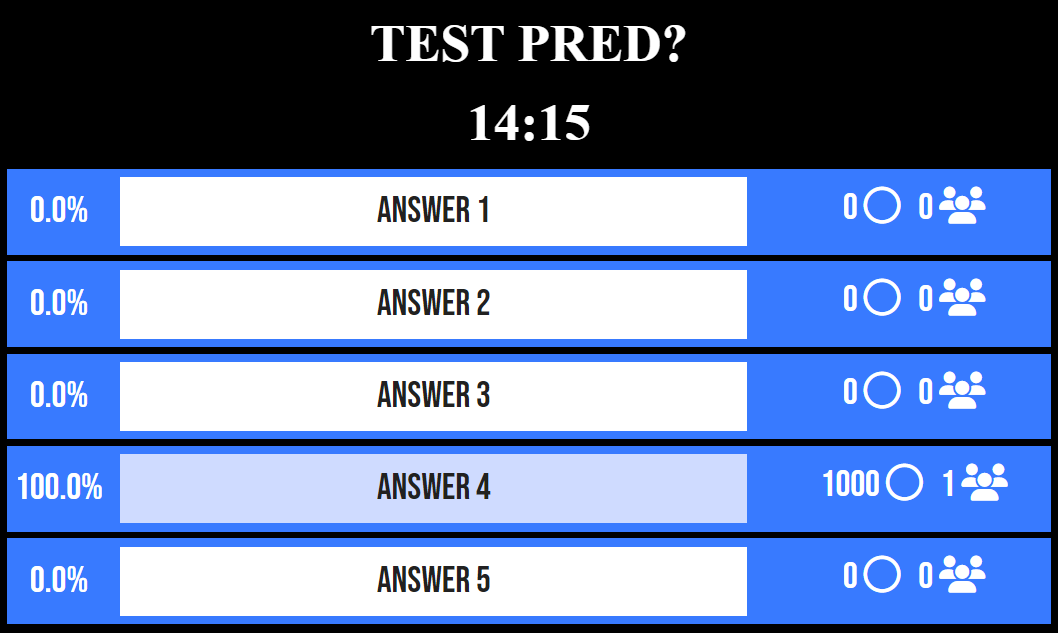
  • Advanced Predictions

    Start, manage, and settle predictions via Stream Deck. Features custom-designed widgets for 2 or multiple options.

  • ClipIt Integration

    Instant clipping via chat command or a Stream Deck button. Never miss a highlight again.

  • Subscriber Counter

    Real-time sub count tracking available via chat commands.

Two Options Multiple Options
Remote Control

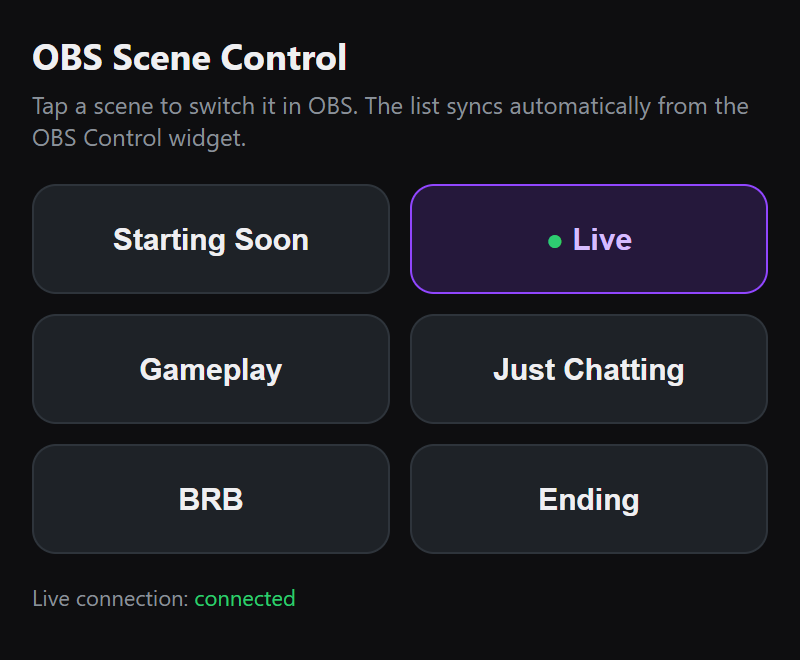
Switch OBS Scenes From Your Phone

A tiny widget inside OBS reads your scene list and keeps it in sync - and the mobile control panel shows a live button for every scene. Tap to switch, from the couch, the kitchen or the other side of the world.

  • Zero maintenance: add, rename or delete scenes in OBS - the panel updates itself instantly.
  • Live state: the active scene is always highlighted, even when you switch inside OBS.
  • One-time setup: enable the OBS WebSocket server, drop in the widget URL - guided instructions included on the panel.
  • Stream Deck friendly: every scene switch is also a plain URL you can bind to a button.
OBS scene control panel on a phone

The Complete Toolbox

Everything else included in your account.


Cloudbot

Cloud-hosted chat bot with custom commands (with costs, cooldowns and alert triggers), timed messages, moderation tools and built-in minigames - duel, slots, gamble, heist and 8ball.

Loyalty Points

Viewers earn points for watch time and activity - with sub-tier multipliers and offline rates - then spend them on chat games and rewards.

PayPal Donations

Your own donation page (yourname on our /tip page) with PayPal checkout, top-donor list, and donations that trigger alerts, goals and the subathon timer.

ElevenLabs AI TTS

AI-generated voices read donation and redeem messages out loud on stream - pick from a range of ElevenLabs voices for a unique channel sound.

Event List Widget

A rolling on-stream list of your latest events - follows, subs, raids, donations - with custom icons, colors, alignment and theme variants for a per-scene look.

Feed Widget

Live channel stats overlay - last follower, latest sub, top cheerer and more, in a bar or ticker mode that updates in real time.

Goal Widgets

Progress bars for follower, sub, bits and donation goals - run several at once with different designs, end dates and theme variants.

Widget Layouts

Combine multiple widgets into a single browser source with a visual layout editor and custom background - one URL for your whole overlay scene.

Theme Variants

One system, every widget: save unlimited custom HTML/CSS/JS themes for chatbox, subathon, event list, feed, goals and song requests - each theme has its own URL, so every OBS scene can look unique.

Your Own API Apps

Bring your own Spotify or Streamlabs developer app - guided setup, encrypted credentials, instant connection with no whitelisting, and automatic token refresh either way.

Stream Deck Ready

Key tools - subathon timer, predictions, clipping - expose simple URLs you can bind to Stream Deck buttons and control without leaving your game.

Alert Laboratory

Fire test follows, subs, bits and donations with any amounts to see exactly which alert variation triggers - plus replay any real past event.